


Archive for the ‘Vintage Computing’ Category
Dev journal, day 30
Posted by Trixter on May 30, 2014
Posted in Demoscene, Programming, Vintage Computing | 2 Comments »
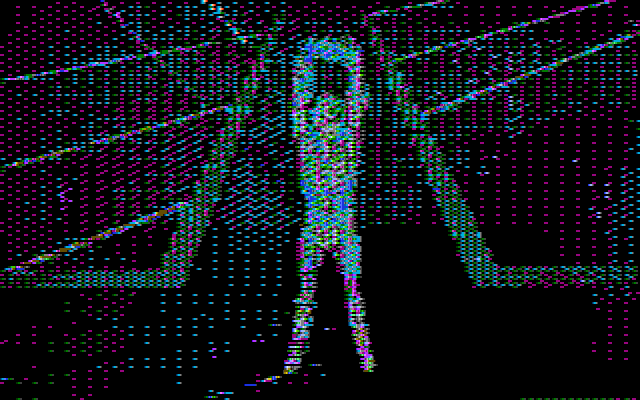
Dev journal, day 22
Posted by Trixter on May 22, 2014
Posted in Demoscene, Programming, Vintage Computing | Leave a Comment »
Dev journal, day 20
Posted by Trixter on May 20, 2014
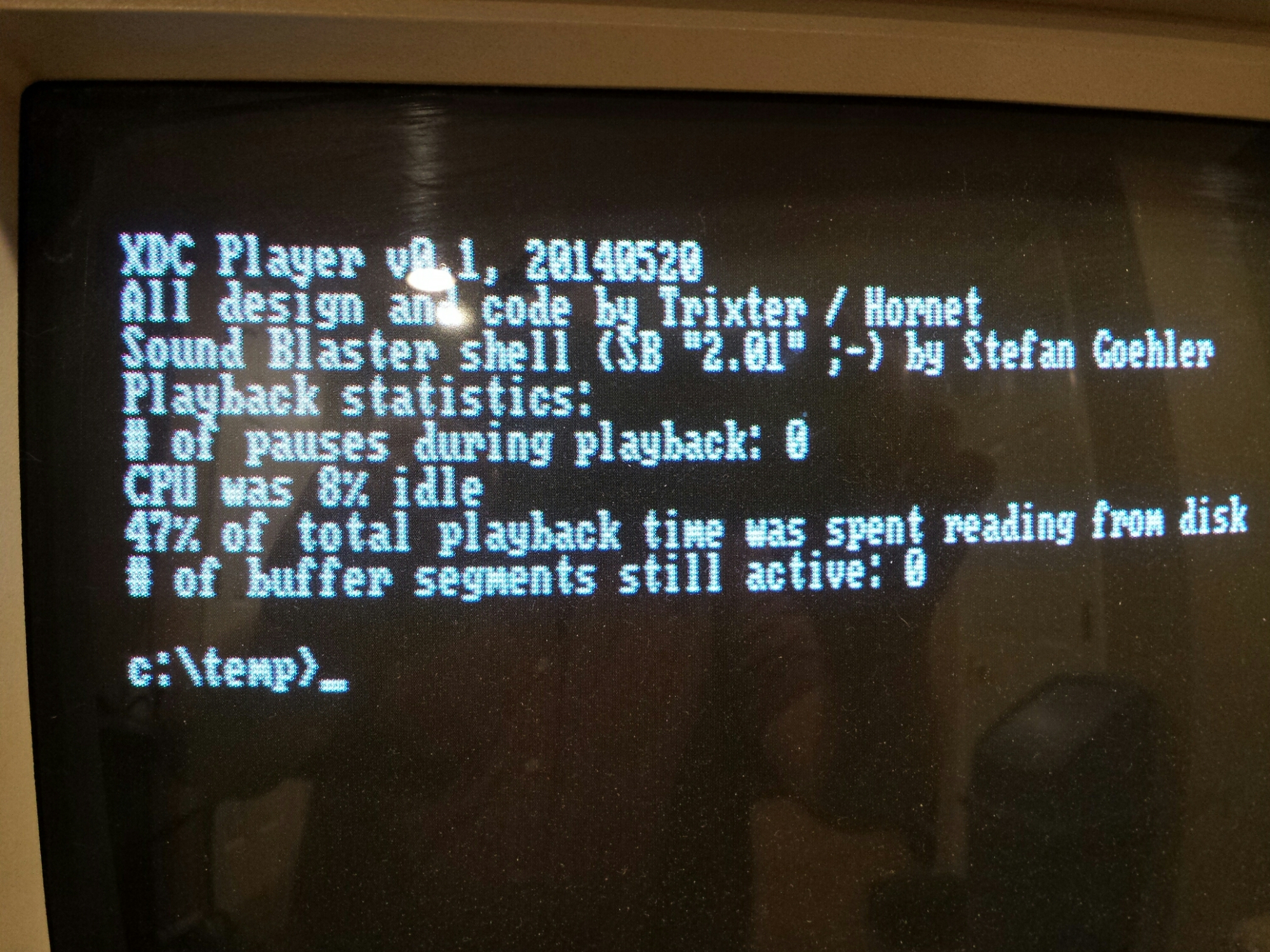
Right first time. Awesome.
Posted in Demoscene, Programming, Vintage Computing | Leave a Comment »
Dev journal, day 19
Posted by Trixter on May 20, 2014

Before you ask, this *IS* a bug. Always make sure your pointers are normalized, kids!
Posted in Demoscene, Programming, Uncategorized, Vintage Computing | Leave a Comment »
Dev journal, day 14
Posted by Trixter on May 14, 2014
1E            PUSH    DS
0E            PUSH    CS
1F            POP     DS
BEFFFF        MOV     SI,FFFF
B800B8        MOV     AX,B800
8EC0          MOV     ES,AX
FC            CLD
Posted in Demoscene, Programming, Vintage Computing | 4 Comments »
Another podcast appearance
Posted by Trixter on October 12, 2013
I’ve magically appeared on another podcast dedicated to vintage computing, this time episode #7 of Floppy Days talking about how I got into vintage computing, what I have, and what I do with it. You can hear my interview around the 38-minute mark.
I keep threatening to put on my own podcast dedicated to vintage IBM PC computing, specifically covering the first 1.5 decades of the IBM PC and compatibles. There are a few vintage computing podcasts dedicated to specific platforms, such as Antic for the Atari 8-bit series and Open Apple for the Apple II community. There are also a few people commenting on their own collections and experiences, such as Floppy Days mentioned above as well as You Don’t Know Flack which centers around C64 and arcade nostalgia. And one that rounds everything up is, appropriately, the Retro Computing Roundtable with news in the world of vintage computing and some light discussions.
But my podcast would differ from those somewhat significantly. I have a couple of ideas that I’d like to explore, such as:
- Mostly instructional (ie. no nostalgia talk) on how to get the most out of your collection/hobby. Different main topic each episode.
- Limiting every episode to 20 minutes or less.
- Quick coverage of uncommon/obscure games.
- Ending each episode with PC-generated music (with and without soundcards).
- Not scripted. (Planned and researched, sure, but no reading the entire episode from a script.)
Too nutty? The vintage computing hobby has a relatively small active audience; is there room for another podcast?
Posted in Podcast, Vintage Computing | 13 Comments »
The IBM PCjr Exhibition Starter Kit
Posted by Trixter on October 3, 2013
I had a blast at this year’s VCFMW. If you peruse my event photos, you’ll notice a PCjr setup in several pictures, both with and without people using them. This was my display, which I pimped with an hour-long presentation about the history, hacking, and homebrew state of the PCjr. I stood up three systems: A starter (stock) system, an expanded system, and a hobbyist/homebrew system. All had games and books and software, with original boxes and manuals. I also laid out some cartridge games so people could see what those were like, and also some uncommon sidecars including a speech adapter and cluster adapter. Finally, each monitor had a sign on top of it that encouraged people to TRY ME! and listed things they could do with each system.
All in all, I was pretty happy with it — and some others were too, based on the attention it got. Some highlights:
- Dads and sons playing Dr. J and Larry Bird go One-on-One against each other
- A Lode Runner expert playing for over an hour through level 32 and 192,000 points until she had to leave
- A couple of friends completing King’s Quest (using an iphone to download maps and hints)
- The guy who made Coverfire (Crossfire clone) playing the original Crossfire on cartridge, like he had 30 years ago
People using the systems and asking questions was exactly what I was hoping for.
Missed the show? Want to stand up an exhibit of your own? Not to worry! I’ve made all of my presentation and exhibition materials available under a Creative Commons Attribution 3.0 Unported License. You are free to use those materials if you’d like to put on a similar presentation. The 1-hour presentation slides, unprotected disk images for some games, signs I made for each setup, and even a PCjr button and t-shirt design are there if you truly want to nerd out.
Bill of materials
Starter system: 128k PCjr, no sidecars, wireless chiclet keyboard, two joysticks
Expanded system: Racore 2nd-drive expansion, 640k, wired “pro” PCjr keyboard (the later model), two joysticks. (Optional: NEC V20 CPU, Tandy 1000 graphcs hardware mod)
Hobbyist system: jrIDE sidecar (adds hard drive via an 8GB IDE DOM, 768K RAM, clock), parallel-port sidecar with xircom PE3 adapter connected to the internet, IBM 83-key keyboard connected via a Racore adapter
Preparation
I copied some software to diskettes (that I wouldn’t care if someone walked away with them) to demonstrate the starter and expanded setups:
- Super Boulderdash
- Jumpman
- Dr. J and Larry Bird go One on One
- Music Construction Set
- Pinball Construction Set
- Flight Simulator v2.12 (v2.13 has a bug if you try to use expanded memory)
- Touchdown Football
- King’s Quest (original PCjr booter)
These game choices were carefully considered and deliberate:
- All of these were bootable disks that didn’t require any DOS — just insert the disk and turn on the system.
- They all have support for PCjr graphics, sound, or both (Touchdown Football even talks!).
- They support gameplay through joysticks which means there is no learning curve in figuring out the keyboard commands
I felt they showed off the “best intentions” of the PCjr while keeping user learning/confusion to a minimum.
Materials
To flesh out the display, I added many more materials: PCjr magazines, books, and original boxed PCjr-specific versions of software (Lotus 1-2-3, Wordstar, Typing Tutor III, Andrew Tobias Managing Your Money, others). I wanted users to get a sense of what personal computing was like back in the 1980s and I felt the additional materials helped. On more than one occasion people were flipping through the magazines, either looking for names they knew, or mocking some of the advertisements :-)
Here’s what it all looked like when completed:
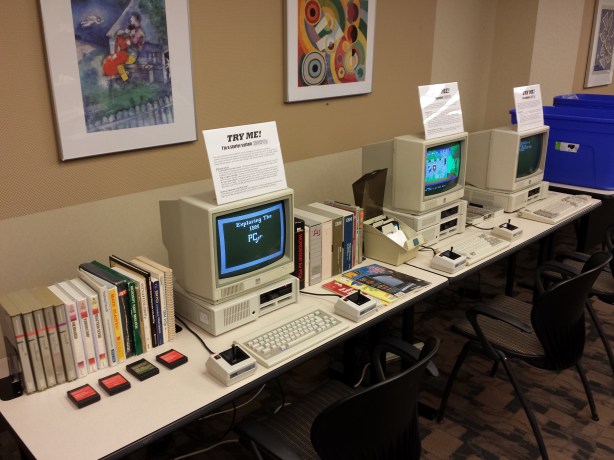
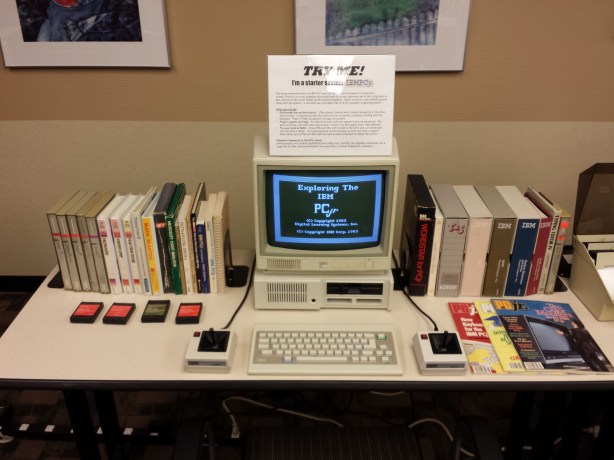
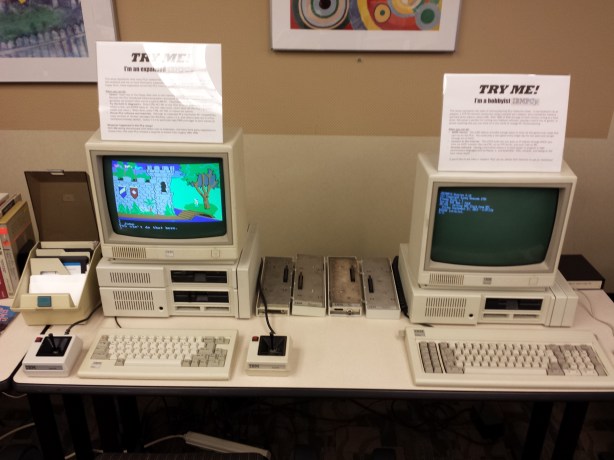
I will eventually be putting almost two hours of PCjr materials on youtube in a series of videos, but until then, enjoy the starter kit.
Posted in Uncategorized, Vintage Computing | 5 Comments »
The lazy way to work a sticky floppy drive spindle free
Posted by Trixter on September 26, 2013
In preparing for VCFMW, I was dismayed to find that one of my PCjr’s floppy drives (a Qumetrak 142) has a very sticky spindle, or a slightly stretched belt, or both. The end result is that the diskette spins quite unevenly, like the belt is slipping. To fix this, there are a lot of things I could do:
- Order a new belt (someone on the PCjr forums thinks he has a lead on a source)
- Try to rough up the inside of the belt so it has more friction
- Partially take apart the drive and adjust two screws that will move the motor away from the spindle which will give the belt more tension
…or, take the lazy way out. I noticed that, no matter how off the drive speed was, it usually managed to load the boot sector. So, I created a boot floppy, loaded the boot sector into debug, and patched the boot code to this:
-l 100 1 0 1
-u 013e
1236:013E B402    MOV AH,02
1236:0140 B001    MOV AL,01
1236:0142 0E      PUSH CS
1236:0143 07      POP ES
1236:0144 BB0010  MOV BX,1000
1236:0147 FEC5    INC CH
1236:0149 80E51F  AND CH,1F
1236:014C B101    MOV CL,01
1236:014E B200    MOV DL,00
1236:0150 B600    MOV DH,00
1236:0152 CD13    INT 13
1236:0154 EBE8    JMP 013E
(I know the code can be optimized smaller, no need to tell me — this means you, Peter ;-) This will proceed to read 1 sector from tracks 0 through 31 and then jump back to track 0 and do it again, endlessly.
I wrote this back to sector 0 and booted the disk. At first, my drive sounded like this: Chunk….. chunk chunk…. chunk…. … ….. chunk chunk chunk…..
An hour of it running and now I hear this: Chunk chunk chunk chunk chunk chunk chunk chunk chunk chunk chunk chunk chunk chunk chunk chunk Problem solved! Well, until Saturday anyway, when I’ll likely need to run this again for an hour to work the drive. But that will be enough for the tutorial diskette to run for the patrons.
PS: That boot sector also makes for a handy exercise to use with a floppy cleaning disk.
Posted in Vintage Computing | Leave a Comment »
Hey, a podcast appearance
Posted by Trixter on September 23, 2013
I had a great time talking with Anatoly of the DOS Nostalgia Podcast a few days ago, and what do you know, I’m capable of speaking into a microphone. We spoke mostly about the first decade of PC gaming, and conclude with some games that were notable for being so well-programmed that they perform some amazing things on your 8088 that it really has no business doing. Snag the episode here, and let him know what you think.
Posted in Gaming, Podcast, Uncategorized, Vintage Computing | Leave a Comment »
Vintage Computer Festival Midwest 8.0
Posted by Trixter on September 15, 2013
Only two weeks away until the VCFMW and I’m very much looking forward to it. I will be giving a longer presentation on the PCjr than I gave at @party (which was rushed and had a lot of stuff cut out due to all @party presentations being limited to 30 minutes), and I will have two or three PCjrs set up for exhibition and public use. These will all be functional and have software and manuals and other materials to peruse, so if you’ve ever wanted to do stuff like play the original King’s Quest on the hardware it was designed for, stop on by.
If you’ve never been, it’s a small-to-medium affair that is roughly half “Commodore convention” and half “everything else convention”. It is smaller and much less formal than VCF East but there is a lot more hacking and swapping and trading going on. Admission is FREE. Tables for exhibiting or selling are FREE. If you are anywhere near Lombard, IL at the end of the month you have no excuse to miss it.
Posted in Vintage Computing | Leave a Comment »
 Oldskooler Ramblings
You must be logged in to post a comment.